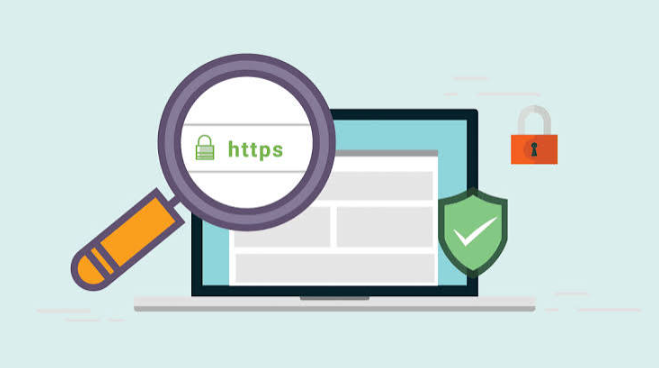
Use Really Simple SSL first if you want the easiest HTTPS fix for WordPress. It checks your SSL certificate, forces secure URLs, and helps fix mixed content without making you cry into your keyboard. Google reports that most Chrome page loads now use HTTPS, so visitors expect the little padlock to be there.
TLDR: Install Really Simple SSL if you want the safest “click it and move on” option. Pick WP Force SSL if you like a clean dashboard and strong HTTPS controls. For example, a shop with 20 product pages may lose trust fast if only 3 pages show “Not Secure.” Fixing HTTPS can turn that scary browser warning into a calm padlock in under 10 minutes.
Why SSL Plugins Matter
SSL turns your site from HTTP into HTTPS. That means data moves in a safer way between your site and your visitor. Passwords, forms, checkout pages, and login screens all need this.
Without HTTPS, browsers may show a Not Secure warning. That warning is tiny. But it hits like a brick. People see it and leave.
An SSL plugin does not usually create the certificate. Your host often does that. The plugin helps WordPress use it correctly. It forces HTTPS. It fixes old HTTP links. It can also stop mixed content warnings.
Mixed content is the annoying bit. Your page may be HTTPS, but one image, script, or font still loads over HTTP. Then the browser gets grumpy. Honestly, it feels like fixing one leaky pipe only to hear dripping in the next room.
See also: How to Start Over Professionally After Leaving a Job
1. WP Force SSL
Best for: Users who want a neat SSL control panel.
WP Force SSL does what the name says. It forces SSL across your site. It also checks if your certificate is valid. The interface is clean. That matters when you are already stressed because your site says “Not Secure.”
It includes HTTPS redirection and SSL testing tools. Some versions also include security headers and monitoring.
Why people like it:
- Simple dashboard.
- Certificate testing.
- Good for agencies.
- Helpful status checks.
The annoying part: Some of the better features sit behind the paid version. That is fair, but still a tiny bit irritating when you only need one extra switch.
Verdict: Great for people who manage more than one site.
2. Really Simple SSL
Best for: Most WordPress users.
Really Simple SSL is the friendly giant here. It detects your SSL certificate. Then it updates your WordPress settings. It also redirects HTTP traffic to HTTPS.
The free version is enough for many small sites. The paid version adds headers, advanced scans, and extra security features.
Why people like it:
- Very easy setup.
- Good mixed content fixer.
- Clear warnings.
- Works well for blogs, shops, and business sites.
The annoying part: The plugin tries to help a lot. Sometimes the dashboard has too many notices. Expect to spend a minute closing prompts before you get to the thing you wanted.
Verdict: If you are not sure what to choose, choose this.
3. Easy HTTPS Redirection
Best for: Simple HTTP to HTTPS redirects.
This plugin is light and direct. It redirects visitors from HTTP pages to HTTPS pages. That is its main job.
It is not trying to be a full security toolbox. That can be a good thing. If your host already handles the SSL certificate and you only need redirection, this plugin may be enough.
Why people like it:
- Small and simple.
- Easy settings.
- Good for basic sites.
- No bloated dashboard.
The annoying part: It may not fix all mixed content issues. So your site can still show browser warnings if old HTTP images or scripts are hiding in your pages.
Verdict: Good for basic redirect work. Not the best full fix.
4. SSL Insecure Content Fixer
Best for: Fixing mixed content problems.
This one is a specialist. It helps when your site is already on HTTPS but still shows warnings.
That usually means some content is still loading through HTTP. It could be images. It could be CSS. It could be a plugin file. It could be one dusty old logo from 2016. Of course it is always the logo.
SSL Insecure Content Fixer gives you different fix levels. You can start light. Then you can raise the setting if needed.
Why people like it:
- Great for mixed content.
- Several fixing modes.
- Useful after site migrations.
- Works well with other SSL setups.
The annoying part: The settings can feel a bit nerdy. You may need to test one level, refresh, then test again. It is not hard. It is just not fun.
Verdict: Keep it in your toolbox for stubborn mixed content errors.
5. Cloudflare WordPress Plugin
Best for: Sites using Cloudflare SSL and CDN.
If your site runs through Cloudflare, use the official Cloudflare plugin. It helps WordPress talk to Cloudflare properly. It can also help prevent redirect loops.
Redirect loops are awful. Your browser spins. Your site refuses to load. You panic. Then you remember it was one SSL setting. Fun times.
Cloudflare has SSL modes like Flexible, Full, and Full Strict. WordPress can get confused if those settings do not match your server setup. The plugin helps reduce that mess.
Why people like it:
- Good for Cloudflare users.
- Helps with SSL settings.
- Can improve caching control.
- Useful for performance and security.
The annoying part: You must still understand your Cloudflare SSL mode. Pick the wrong one and you may get errors.
Verdict: Use it if Cloudflare is part of your setup.
Quick Comparison
- Best overall: WP Force SSL.
- Best dashboard: WP Force SSL.
- Best lightweight redirect plugin: Easy HTTPS Redirection.
- Best mixed content fixer: SSL Insecure Content Fixer.
- Best for Cloudflare users: Cloudflare WordPress Plugin.
How to Set Up HTTPS Without Drama
- Get an SSL certificate. Many hosts offer free Let’s Encrypt SSL.
- Back up your site. Do not skip this. Future you will be grateful.
- Install your SSL plugin. Start with Really Simple SSL if unsure.
- Turn on HTTPS redirect. Send all HTTP traffic to HTTPS.
- Check for mixed content. Open key pages in a browser.
- Update old links. Fix hardcoded HTTP links in menus, widgets, and page builders.
- Test checkout and login pages. These matter most.
Common SSL Problems
Problem: Your site shows “Not Secure.”
Fix: Check if your SSL certificate is active. Then force HTTPS.
Problem: Your homepage is secure, but blog posts are not.
Fix: Run a mixed content scan. Old images may still use HTTP.
Problem: Your site has a redirect loop.
Fix: Check your host SSL settings, plugin settings, and Cloudflare mode.
Problem: Your admin area breaks after enabling SSL.
Fix: Disable the plugin through hosting file manager or FTP. Then review settings.
Which Plugin Should You Pick?
For most people, Really Simple SSL is the best pick. It is fast, friendly, and trusted by many WordPress users.
If you want cleaner controls, try WP Force SSL. If you only need redirects, use Easy HTTPS Redirection. If mixed content is making you mutter at your screen, install SSL Insecure Content Fixer.
HTTPS is not just a shiny padlock. It protects users. It builds trust. It also keeps browsers from scaring visitors away before they even read your first sentence.
Final tip: Fix HTTPS once. Then check it every few months. Plugins update. Themes change. Someone uploads an old HTTP image. The web is weird like that.